Anyone who syncs step or activity data from more than one wearable or app and wants a real daily total, not an inflated one.
Come funziona
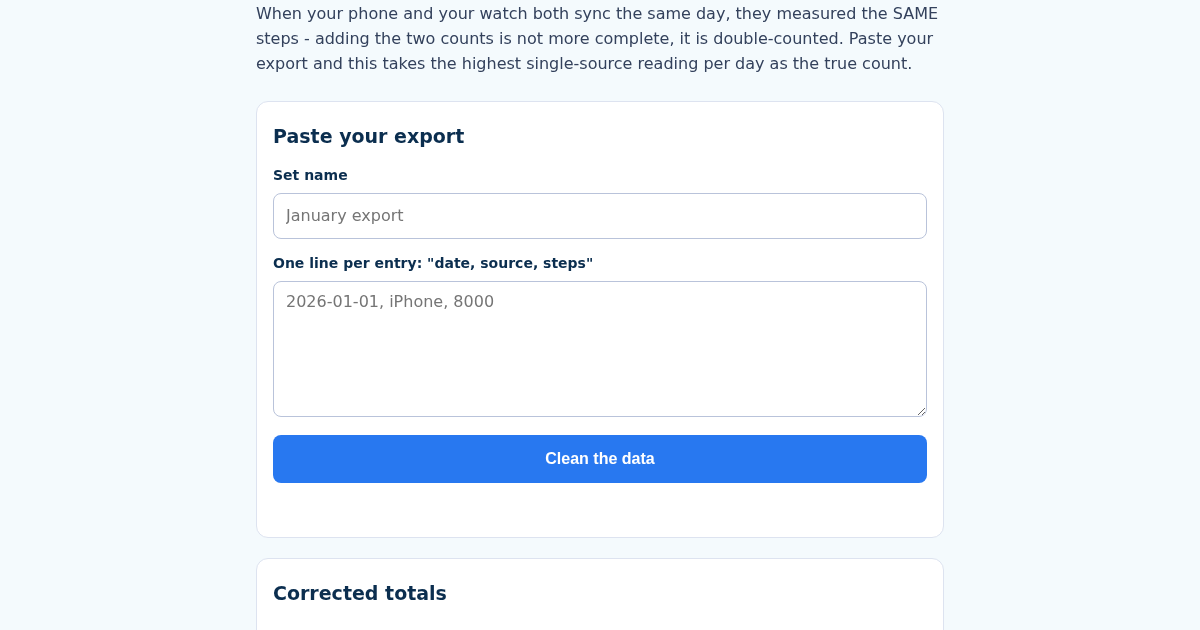
- Name this set, e.g. "January export".
- Paste one line per entry as "date, source, steps", for example "2026-01-01, iPhone, 8000".
- Get the corrected daily totals and exactly how many phantom steps the naive sum would have added.
- The set stays saved; recalculating it updates the same entry.
Cosa ottieni
- When a phone AND a watch both log the same day, they measured the SAME walk twice - summing their step counts is not a bigger number, it is a WRONG one
- Takes the highest single-source reading per day as the true count, not the sum across sources
- Shows exactly how many phantom steps a naive sum would have added, per day and in total
- Works from a pasted export (date, source, steps) - no file upload, no account
Schermata
Dettagli tecnici
Come configurare e usare
- Acquista la licenza — la chiave (lic_...) appare nella pagina dell'ordine e via email.
- Accedi su app.synoriaai.com con la tua chiave di licenza.
- Nessuna installazione — il prodotto gira nel browser, sulla tua istanza isolata.
- Open the page and give your cleaned set a name.
- Paste your export lines in the format date, source, steps.
- Click the calculate button.
- See the corrected total and how many phantom steps a naive sum would have added.
- Save the set by name; recalculating updates the same set.
Domande frequenti
What does HealthClean actually do?
It takes a pasted export of daily step entries and, for each day, uses the highest single-source reading as the true count instead of adding sources together. It also shows how many extra steps a naive sum would have produced.
Is my data safe?
You paste your export directly into the page. There is no file upload and no account, so nothing is sent to a server by the tool itself.
Does it connect to my watch or phone?
No. It works only from the text you paste in the date, source, steps format. It does not sync with any device or app.
Prodotti correlati
The Average Says You're Fine
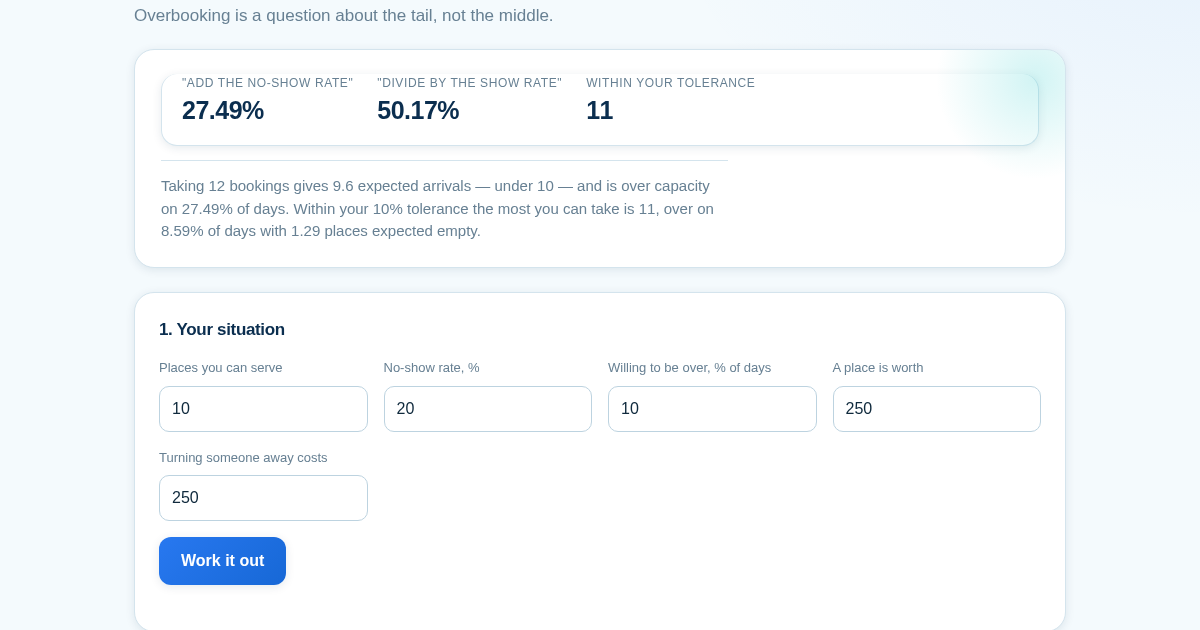
Ten places, one in five does not turn up, so take twelve bookings — the average says 9.6 arrive and 9.6 is under ten. That is exactly right, and it is the wrong number to look at: twelve bookings is over capacity on…
Stopping at Significance Isn't a 5% Test
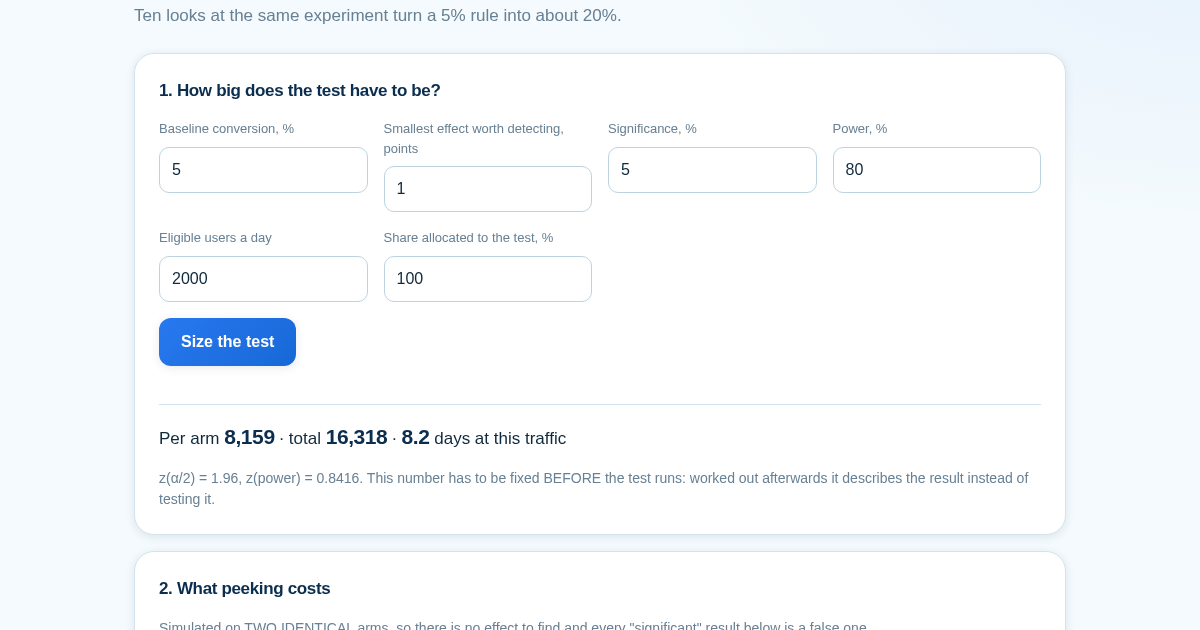
Checking a test once gives roughly the 5% false-positive rate you asked for. Checking ten times along the way and stopping at the first crossing gives about 20%, and twenty times gives about 24% - simulated here on two…
Stopping at Significance Isn't a 5% Test
Checking a test once gives roughly the 5% false-positive rate you asked for. Checking ten times along the way and stopping at the first crossing gives about 20%, and twenty times gives about 24% - simulated here on two…
Stopping at Significance Isn't a 5% Test
Checking a test once gives roughly the 5% false-positive rate you asked for. Checking ten times along the way and stopping at the first crossing gives about 20%, and twenty times gives about 24% - simulated here on two…